How to Choose an IP Phone for Business in 2026: A Practical Buyer’s Guide
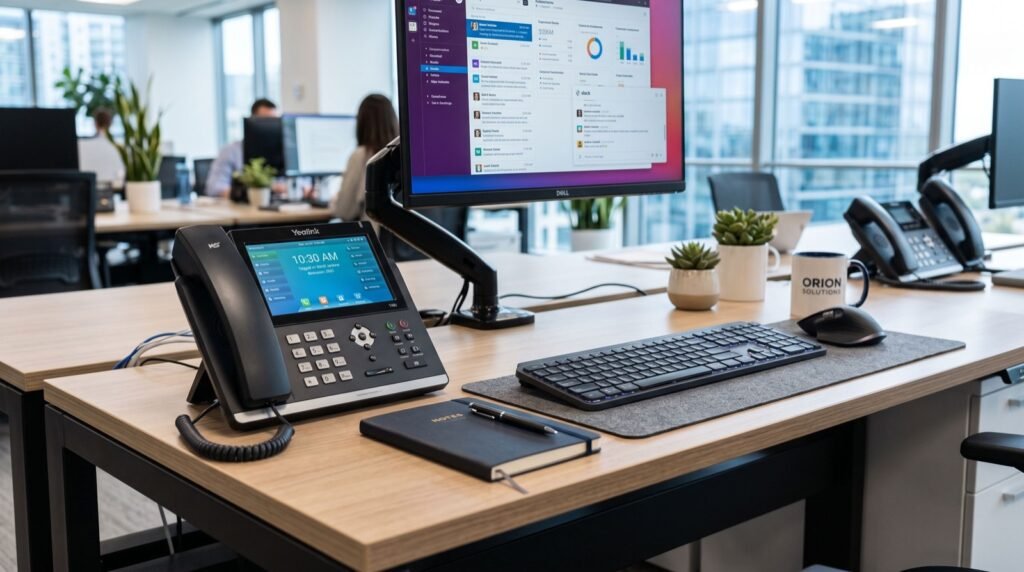
Choosing an IP phone for business is no longer a technical afterthought. In 2026 the desk phone sits at the centre of hybrid work, blending voice, video, and app integrations into one device. If you pick the wrong model, staff struggle with poor audio and confusing menus. Pick the right one and calls simply work, every single day.
This guide walks you through the decisions that actually matter when you choose an IP phone for business. We cover the SIP protocol behind every call, the features worth paying for, and how to match a handset to real roles in your company. Along the way we point to hardware from a trusted supplier of Fanvil IP Phones in Rawalpindi so you can see how theory maps to actual products.
What Is an IP Phone and How Does SIP Work?
An IP phone sends your voice over a data network instead of traditional copper lines. It converts speech into digital packets, ships them across your LAN or the internet, and reassembles them at the other end. The result feels like an ordinary call but rides on the same infrastructure as your email and files.
Most business handsets speak SIP, the Session Initiation Protocol. SIP sets up, manages, and ends calls between devices. It is an open standard maintained by the Internet Engineering Task Force, defined in RFC 3261. Because SIP is open, a Fanvil handset can register to almost any compatible PBX or cloud provider without vendor lock-in.
Why Standards Matter for Buyers
When a phone follows the SIP standard properly, you gain freedom. You can switch providers, mix brands, and scale without ripping everything out. A cheap phone that bends the rules may work today and break after a firmware update on your PBX. Standards protect your investment.
Choosing an IP Phone for Business: The Features That Count
Feature lists on spec sheets look endless. In practice, only a handful of features change how happy your team will be. Focus your budget there and ignore the marketing noise.
- Audio quality: Look for HD wideband voice and dual microphones for clear speech.
- Line keys: Programmable keys speed up transfers and monitor colleagues.
- Power over Ethernet (PoE): One cable delivers data and power, cutting clutter.
- Display: A colour screen helps with directories, presence, and video.
- Expansion: Sidecar modules matter for receptionists handling many lines.
- Provisioning: Zero-touch setup saves hours across a large rollout.
For an executive who takes video calls, a flagship device pays off quickly. The Fanvil V67 Flagship Smart Video Phone pairs a large touchscreen with Android apps and built-in video, so a director can join a meeting without opening a laptop.
Match the Phone to the Role
The smartest buyers never buy one model for everyone. They map handsets to jobs. A warehouse phone needs ruggedness, not a touchscreen. A sales desk needs many line keys. A boardroom needs a conference unit with 360-degree pickup.
A Quick Role-to-Model Comparison
| Role | Priority feature | Recommended tier |
|---|---|---|
| Reception | Line keys + expansion module | Mid to high |
| Executive | Video + large touchscreen | Flagship |
| General staff | HD audio + PoE | Entry to mid |
| Warehouse | Durability + loud speaker | Rugged |
| Meeting room | 360° microphones | Conference unit |
This table is a starting point, not a rulebook. Sit with each team, watch how they call, then decide. If your reception desk works with an experienced local team to plan the rollout, they will spot needs you missed from a spreadsheet.
How Do You Set Up a New IP Phone?
Deployment is simpler than most people fear. A modern SIP phone can register in minutes once your network and PBX are ready. Follow a repeatable process and your rollout stays smooth even across dozens of desks.
- Confirm your PoE switch or power adapters are in place.
- Create SIP accounts on your PBX or cloud platform.
- Enter server address, username, and password on the phone.
- Test a call to an internal extension, then to an external number.
- Save a provisioning template so the next phone auto-configures.
- Label each handset and update your asset register.
For larger sites, skip manual entry entirely. Zero-touch provisioning pushes settings from a central server, so a new phone plugs in and configures itself. This single feature can turn a two-day rollout into an afternoon.
Security You Should Not Skip
Voice traffic is data, and data attracts attackers. Toll fraud and eavesdropping are real risks in 2026. Thankfully, good handsets and disciplined admins close most gaps quickly.
- Enable TLS for SIP signalling and SRTP for the audio stream.
- Change every default password before a phone touches the network.
- Keep firmware current to patch known vulnerabilities.
- Segment voice traffic onto its own VLAN.
These steps cost nothing but discipline. Skipping them can cost thousands in fraudulent international calls placed overnight. In our experience deploying phones across busy offices, the single most common failure is a handset left on its factory password and exposed to the public internet. Attackers scan for exactly this, and they can rack up huge bills within hours. Treat every phone as a small computer, because that is precisely what it is.
It also helps to review your firewall rules before go-live. Only allow SIP traffic to reach your trusted PBX or provider, and block unexpected inbound registrations. A short audit here prevents most of the security incidents we see reported by small businesses each year.
Planning for Growth and Future Needs
Your business will not stay the same size, so your phone estate should not either. When you choose an IP phone for business today, think about where the company will be in three years. Buying a handset with a little headroom often costs only a few dollars more but saves a full replacement cycle later.
Consider how new features arrive too. Because SIP is an open, evolving standard, quality manufacturers ship firmware updates that add capabilities over time. A phone bought in 2026 can gain improvements well into the future, provided the vendor supports it. That ongoing support is a hidden but crucial part of value, so favour brands with a strong track record of updates.
Frequently Asked Questions
Do I need a special internet connection for IP phones?
No, a standard business broadband connection works well. What matters most is stable bandwidth and low latency. A modest 100 kbps per concurrent call is enough, and Quality of Service settings keep voice smooth when the network is busy.
Can I keep my existing phone numbers?
Yes. Number porting lets you move existing numbers to a SIP provider. The process usually takes a few business days, and your provider handles the paperwork. Plan the switch during quiet hours to avoid missed calls.
Are IP phones cheaper than traditional phones?
Over time, almost always. You avoid separate line rental, and internal calls between sites become free. The upfront handset cost is offset within months through lower call bills and reduced maintenance.
Will my new phone work with my current PBX?
If both support open SIP, yes. This is the advantage of standards-based hardware. Always confirm compatibility with your provider before ordering, but reputable Fanvil models register with the vast majority of platforms.
Conclusion: Buy for the Next Five Years
Choosing an IP phone for business comes down to understanding SIP, prioritising the few features that matter, and matching each handset to a real role. Do that and you build a phone system that scales with you rather than against you.
Ready to upgrade your desks in 2026? Explore proven SIP handsets from a trusted local supplier of Fanvil IP Phones in Rawalpindi and give your team audio that simply works. The right phone is an investment, so choose once and choose well.